Booth Saathi ऐप खोलेंOpen app

बूथ टीम के लिए · Digital PlanetFor booth teams · by Digital Planet

पूरी मतदाता सूची, हर कार्यकर्ता के फ़ोन पर Your voter list, on every worker's phone

मतदाता खोजें, वोट डालने वालों को एक टैप में दर्ज करें, व्हाट्सएप पर वोटर स्लिप भेजें और घर-घर सर्वे करें — हिंदी और अंग्रेज़ी में। Find voters, mark who has voted with one tap, send voter slips on WhatsApp and run household surveys — in Hindi and English.

iPhone पर: Safari में खोलें और “Add to Home Screen” चुनें। App Store ऐप जल्द आ रहा है। On iPhone: open it in Safari and choose “Add to Home Screen”. The App Store app is coming soon.

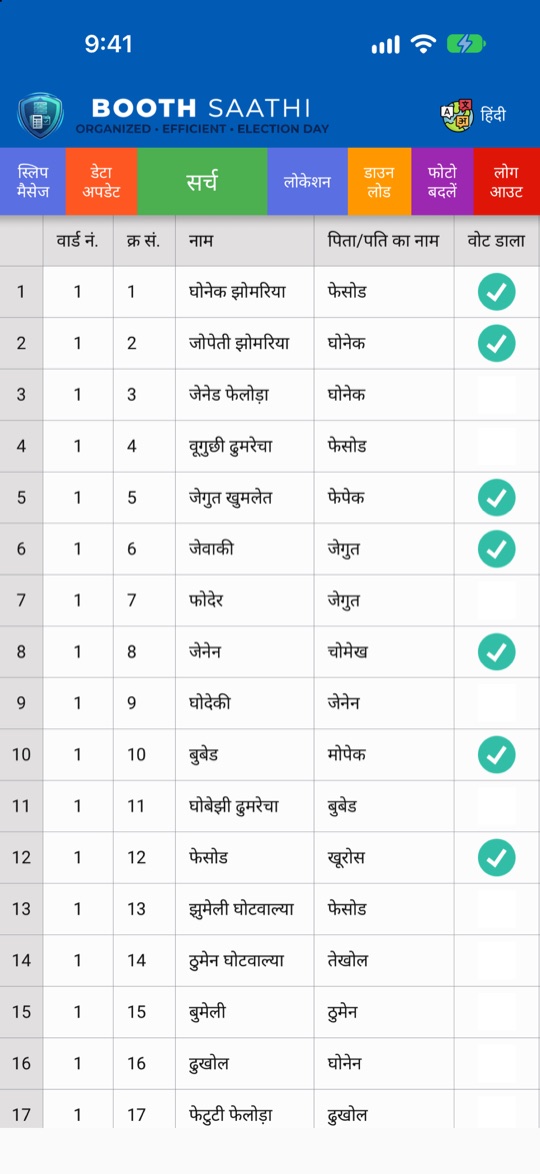
Booth Saathi home screen with the voter list

बूथ टीम की हर ज़रूरत, एक ऐप मेंEverything a booth team needs

मतदाता सूचीVoter list

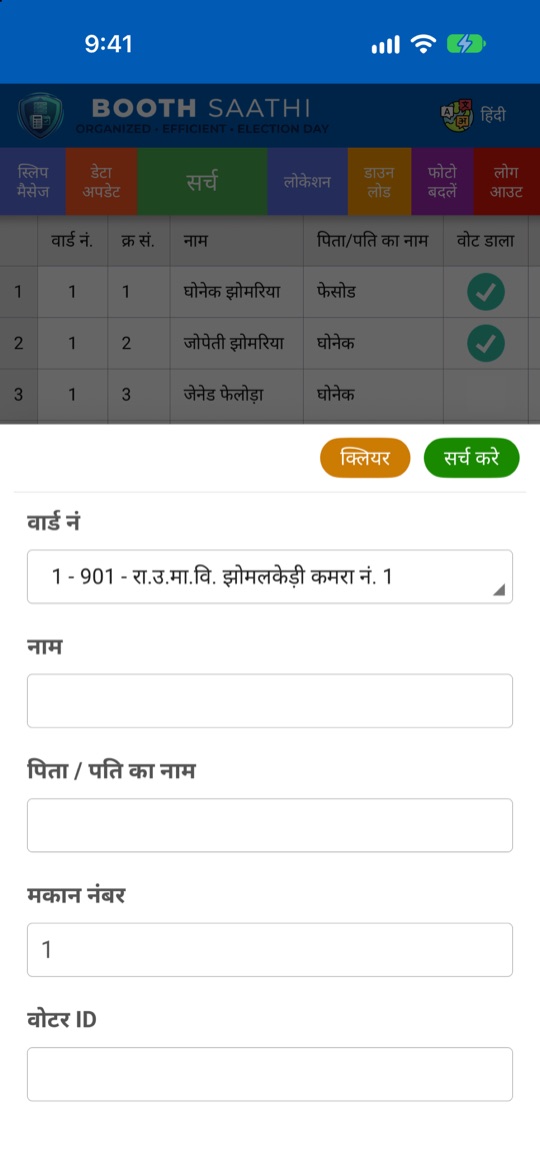
साफ़ टेबल में पूरी सूची। वार्ड, नाम, पिता/पति के नाम, मकान नंबर या वोटर ID से खोजें। एक टैप में पूरे परिवार की सूची।The full list in a clear table. Search by ward, name, father's or husband's name, house number or voter ID. A whole family in one tap.

मतदान का दिनPolling day

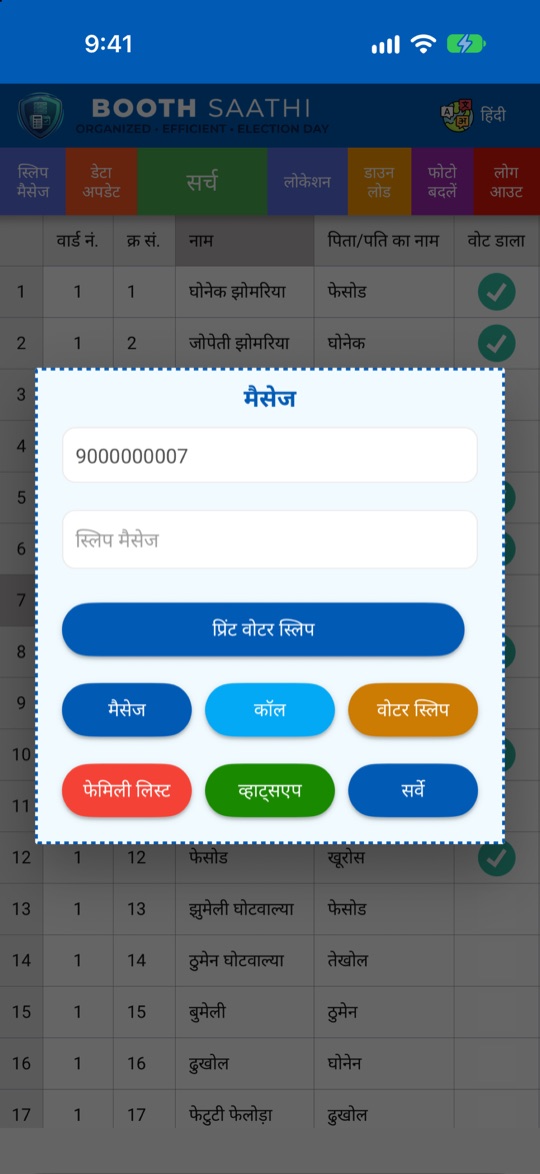
“वोट डाला” और “बाहर है” एक टैप में दर्ज करें। मौके पर मोबाइल नंबर जोड़ें और सूची से सीधे कॉल या SMS करें।Mark “vote cast” or “not available” with one tap. Add mobile numbers on the spot, and call or SMS a voter straight from the list.

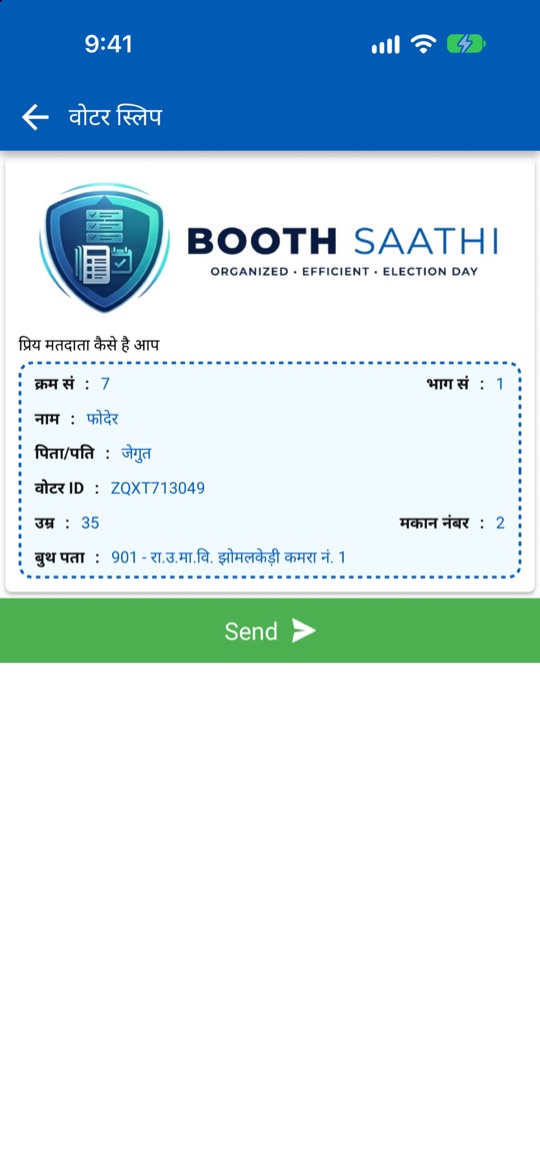
वोटर स्लिपVoter slips

वोटर स्लिप की इमेज व्हाट्सएप पर भेजें या स्लिप SMS से भेजें, साथ में आपकी टीम का मैसेज।Share a voter slip image on WhatsApp or send the slip by SMS, with your team's message.

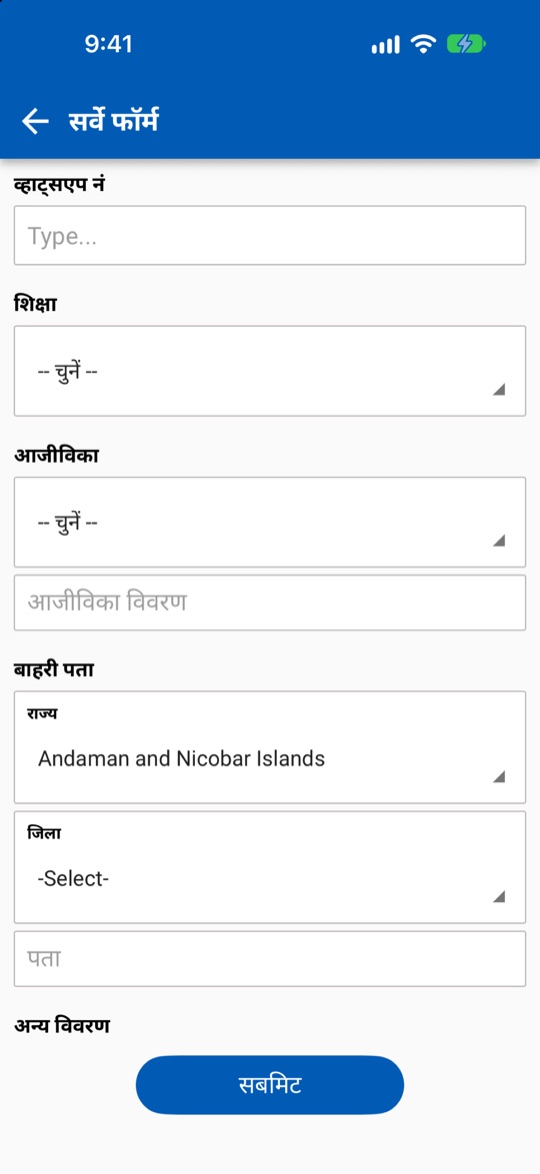
घर-घर सर्वेHousehold survey

शिक्षा, आजीविका, व्हाट्सएप नंबर, बाहरी पता और अन्य विवरण दर्ज करें।Record education, livelihood, WhatsApp number, outside address and other details.

एडमिन के लिएFor administrators

मैप पर फील्ड कार्यकर्ताओं की लोकेशन, Excel और PDF एक्सपोर्ट, स्लिप मैसेज और बैनर इमेज।Field workers' locations on a map, Excel and PDF export, the slip message and the banner image.

हिंदी और अंग्रेज़ीHindi and English

ऐप हिंदी में खुलता है और कभी भी अंग्रेज़ी में बदला जा सकता है।The app opens in Hindi and switches to English at any time.

एक नज़र मेंA look inside

स्क्रीनशॉट में सभी नाम और नंबर काल्पनिक हैं।All names and numbers in these screenshots are fictional.

इंस्टॉल कैसे करेंHow to install

iPhone (Safari)

  1. Safari में app.edigitalplanet.info खोलेंOpen app.edigitalplanet.info in Safari
  2. नीचे शेयर बटन दबाएँTap the Share button
  3. “Add to Home Screen” चुनें और Add दबाएँChoose “Add to Home Screen”, then Add

होम स्क्रीन से खोलने पर ऐप फुल-स्क्रीन चलता है और सूची फ़ोन पर रहती है।Opened from the Home Screen, it runs full-screen and keeps the list on the phone.

Safari में खोलेंOpen in Safari

कंप्यूटरComputer

एडमिन Chrome, Edge या Safari में app.edigitalplanet.info खोलकर मैप, Excel और PDF एक्सपोर्ट इस्तेमाल कर सकते हैं।Admins can open app.edigitalplanet.info in Chrome, Edge or Safari to use the map and the Excel and PDF exports.

ऐप खोलेंOpen the app

सुरक्षा और गोपनीयताSecurity and privacy

अपनी टीम के लिए Booth Saathi लेंGet Booth Saathi for your team

खाते और मतदाता सूची के लिए Digital Planet से संपर्क करें।Contact Digital Planet for accounts and your voter list.

फ़ोनPhone +91 93527 67684 ईमेलEmail manishmandowara@edigitalplanet.info
पताAddress R C Vyas Colony, Bhilwara, Rajasthan 311001